
Agent Mode Tour
An AI director that interviews you, pitches the plan, then builds the film live in front of you.
An Agent-mode project pairs you with an AI director: chat on the left, your film — Story, Elements, Sequence, Timeline — living and breathing on the right. Here is a real session, from one sentence to a production-ready plan.
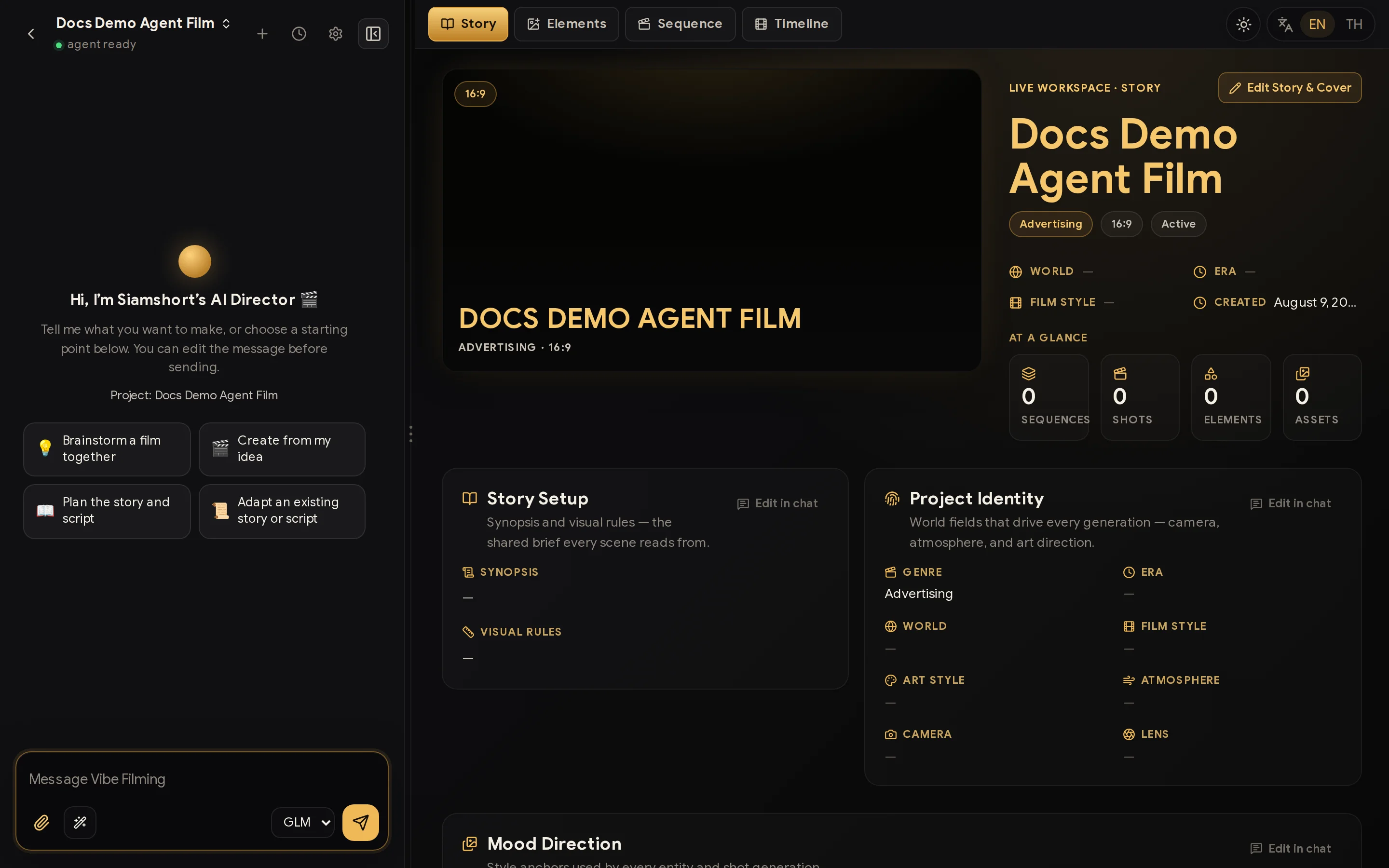
The lay of the land — four tabs
Before the action, know the map. Your film lives in four tabs on the right:
- Story — logline, cover, synopsis, and the visual rules every scene inherits. Edit directly or Edit in chat.
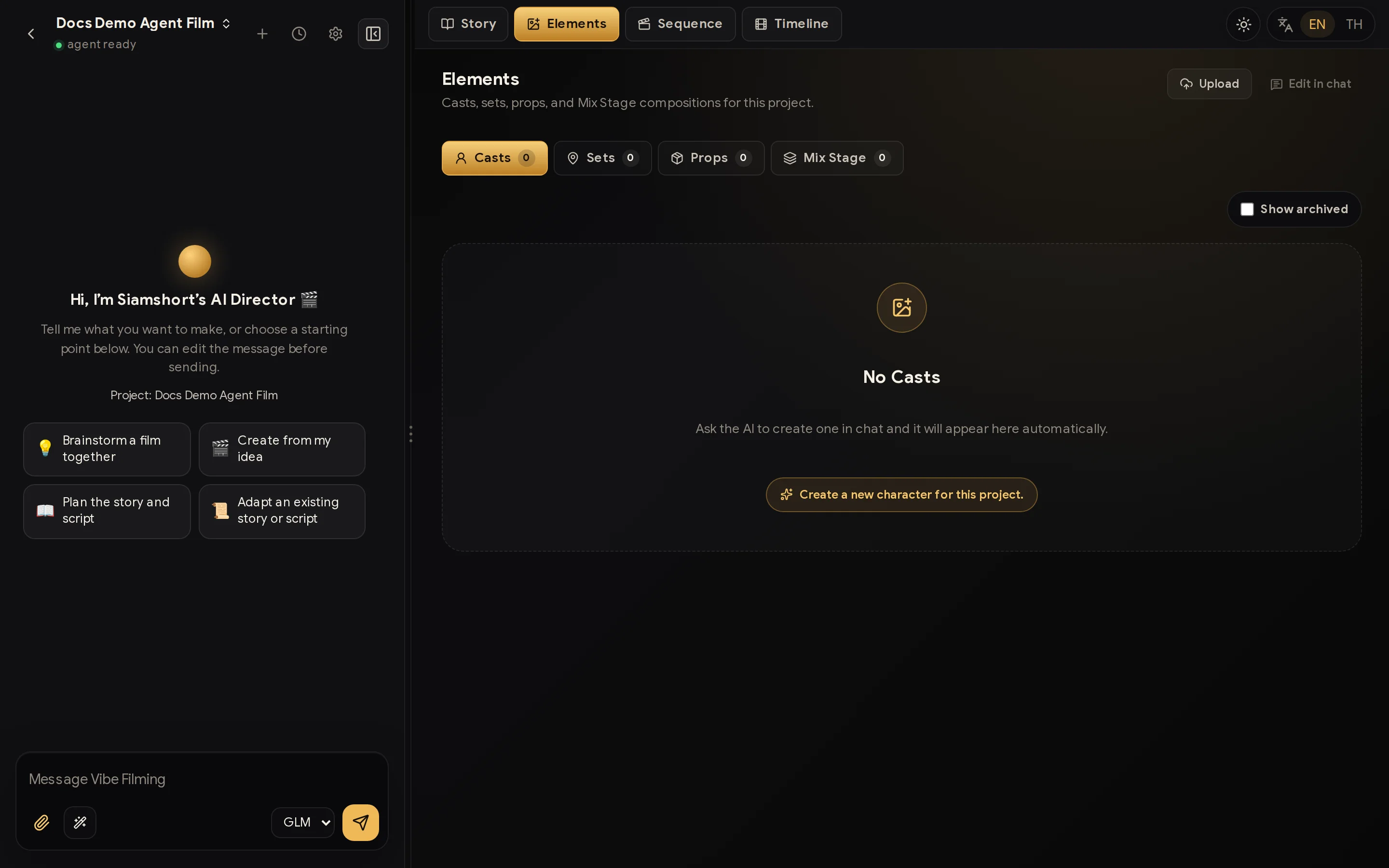
- Elements — cast, sets, and props: the entities that keep every shot consistent.
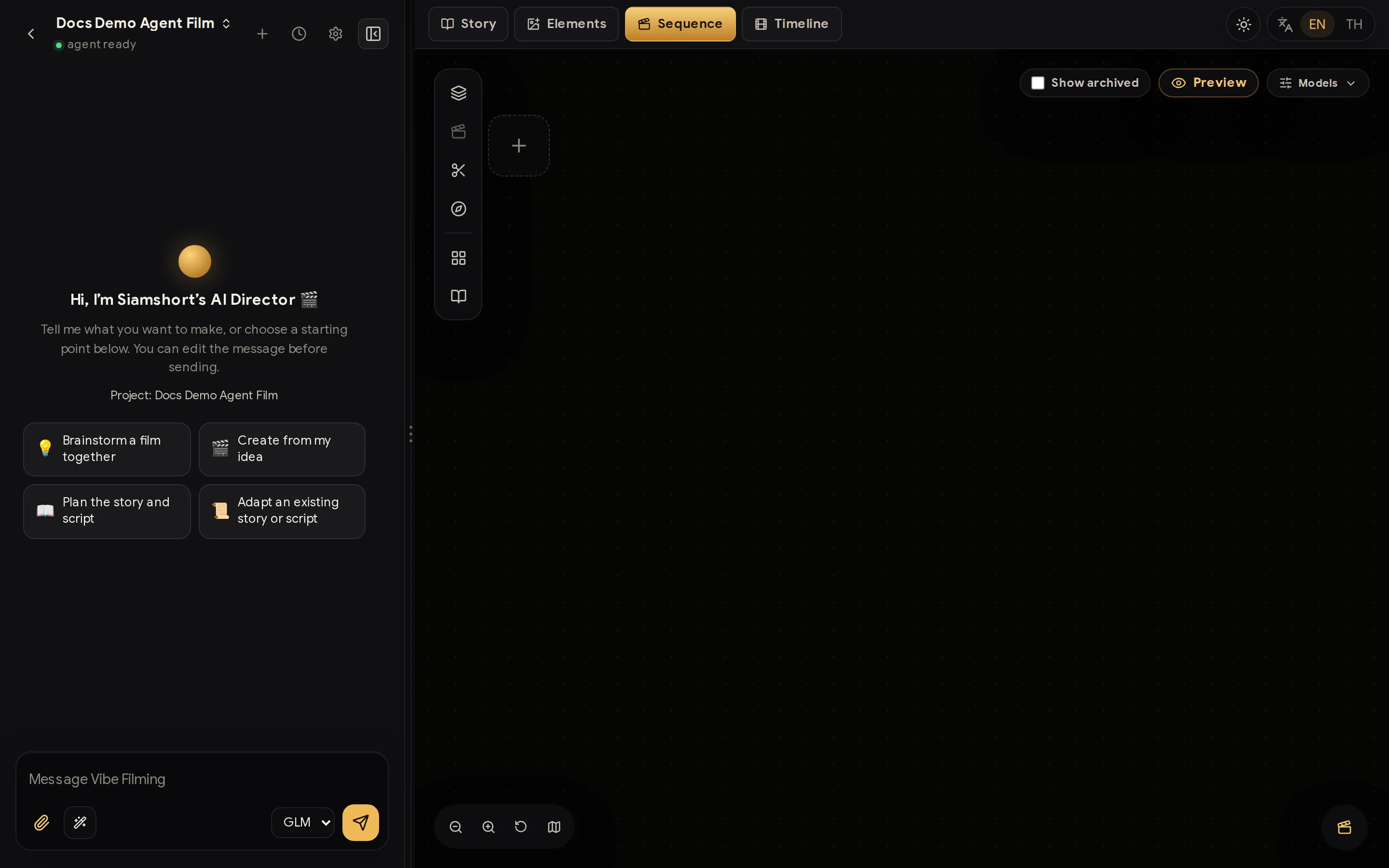
- Sequence — chapters and shots, each with its plot, prompt, and takes.
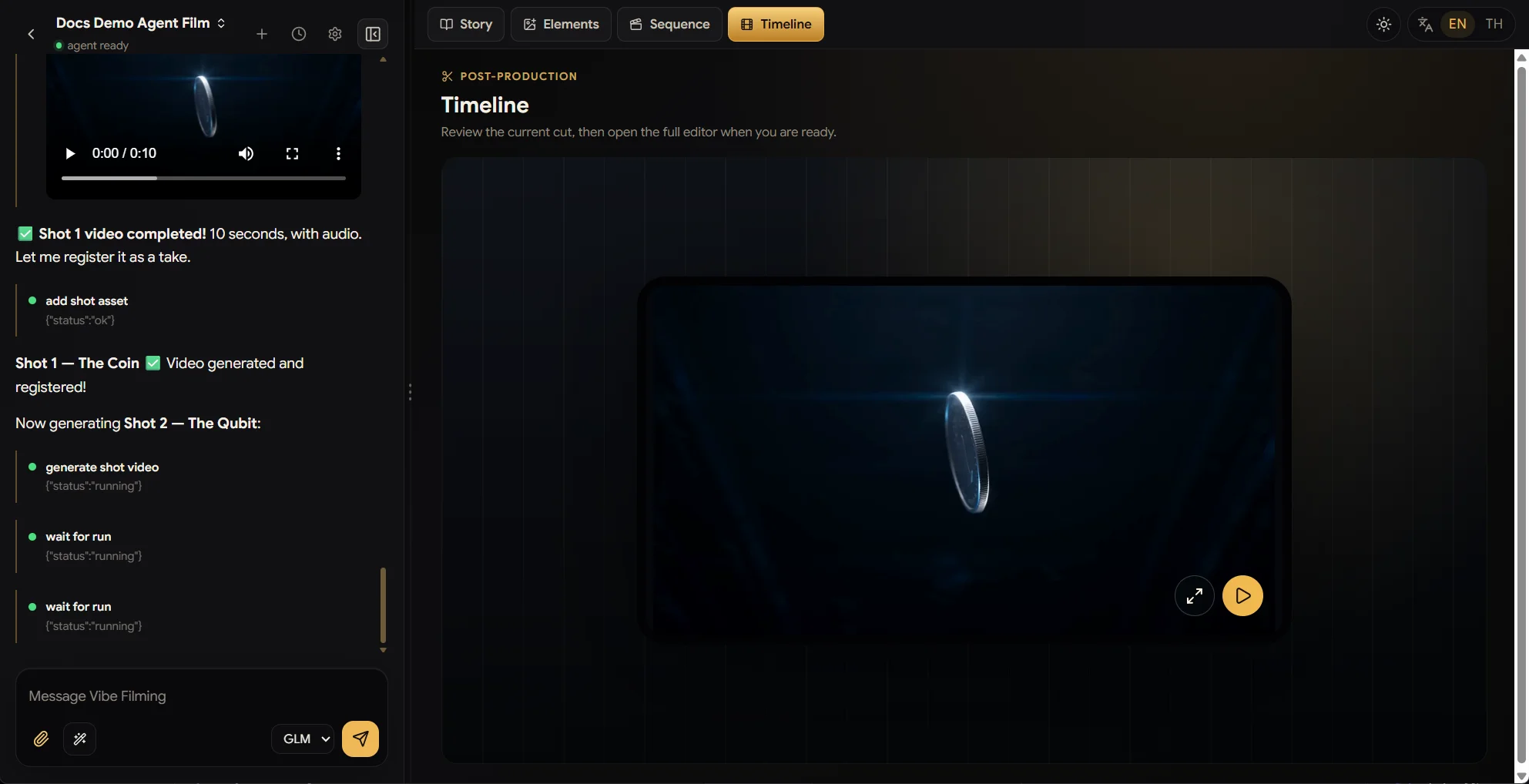
- Timeline — post-production: play the film you cut in the video editor, review the current version full-screen, and jump back into the full editor when it needs another pass.
The Sequence tab toolkit
The floating toolbar on the left of the Sequence tab is your production desk:
- Add sequence (chapter) and Add shot — grow the film structurally.
- Navigate to any shot — jump straight to a card in one click.
- Insert clip — patch part of a shot's video without regenerating it all.
- Storyboard / Manhwa switch — flip every card between cinematic storyboard sheets and manhwa-style panels.
A real session — one sentence to a finished cut
Now watch it all in action. Everything below happened in a single session, from a single prompt.
1. Pitch an idea — the director interviews you
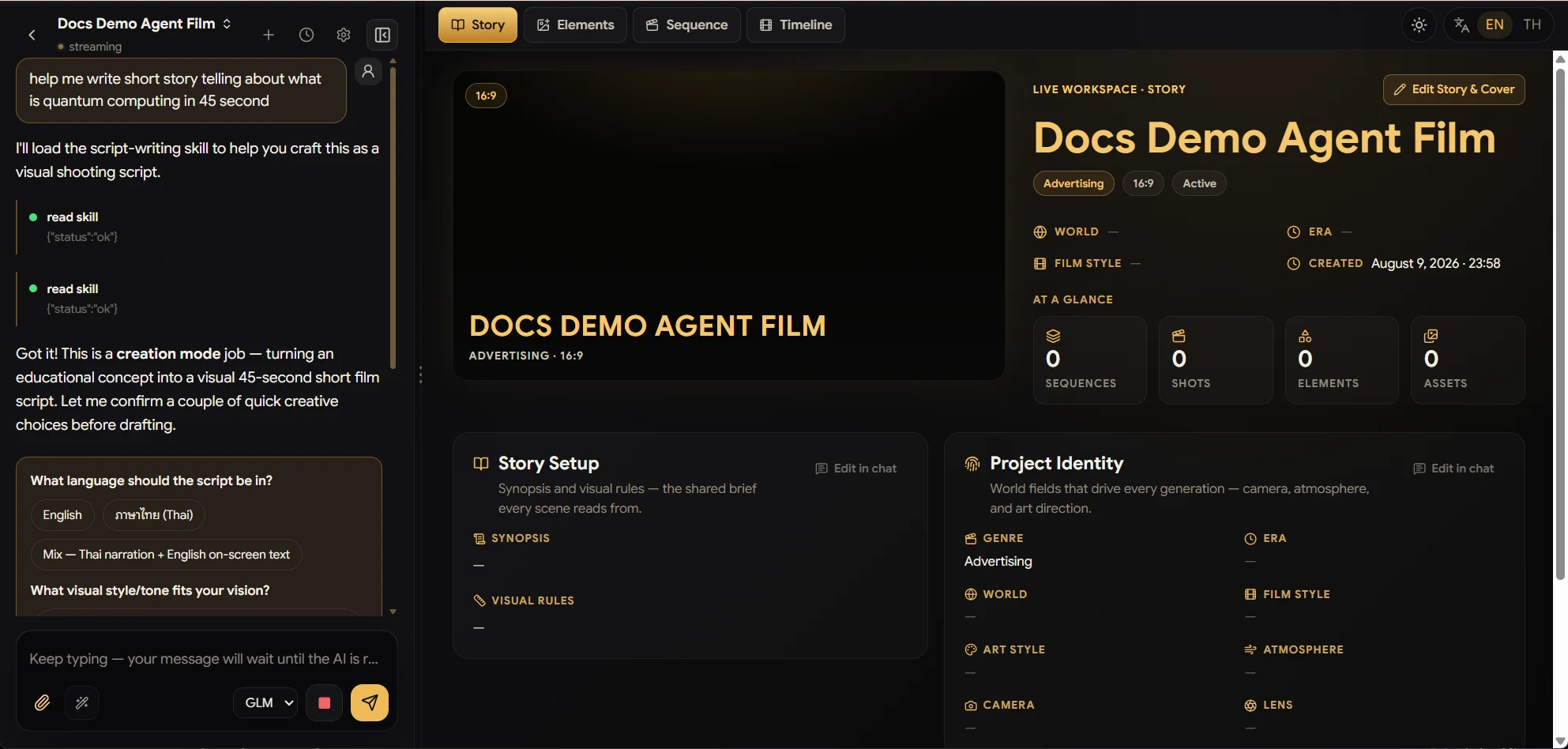
We typed one line: "help me write a short story telling what quantum computing is, in 45 seconds."
The director doesn't gamble on guesses. It loads the right skill for the job, recognises this as a creation task, and asks the questions a human director would — script language (English / Thai / mixed narration), visual tone, style — with one-tap answer chips so the interview takes seconds.
2. The full pitch — and you stay in charge
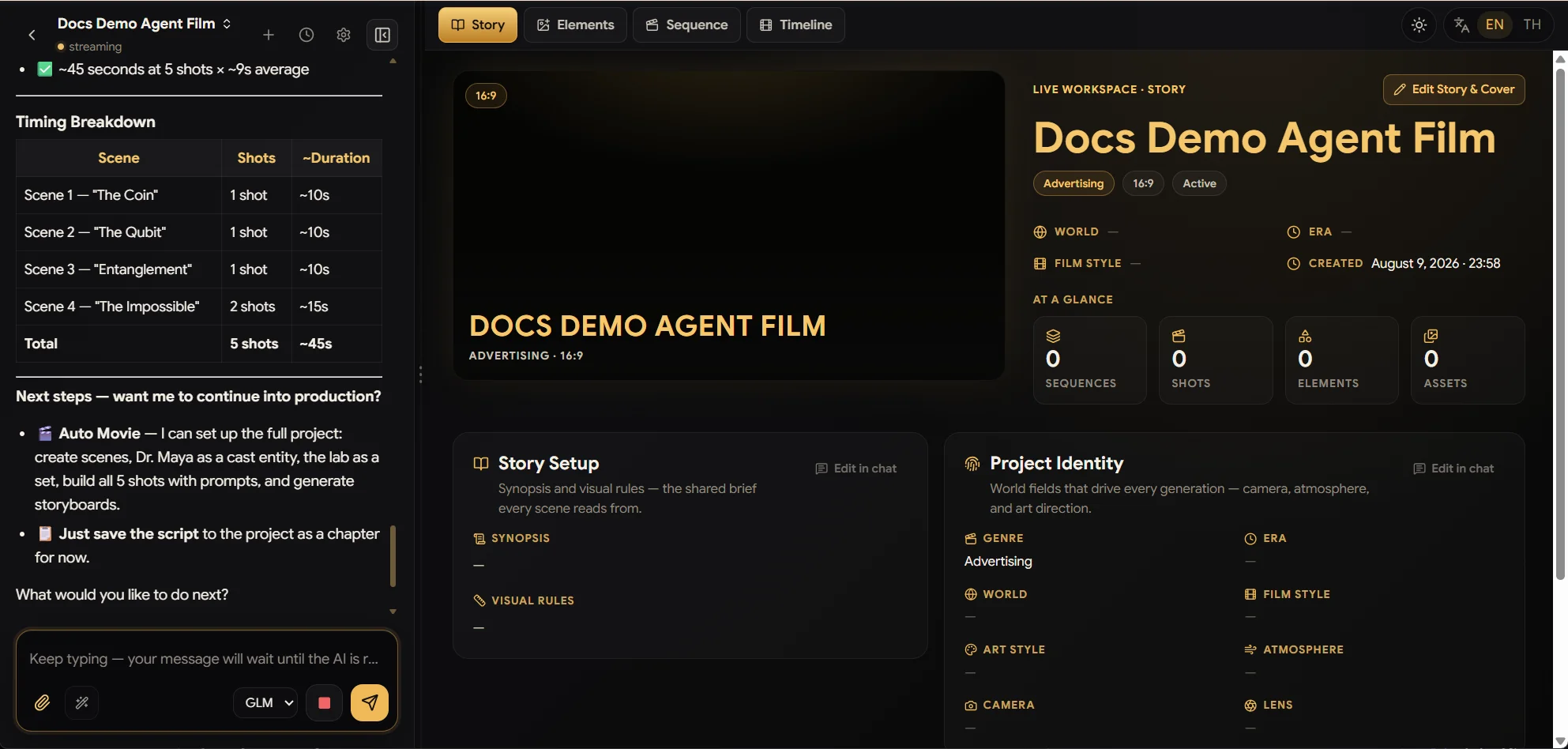
Seconds later you get a complete, professional breakdown: scenes, a timing table (5 shots ≈ 45s, scene by scene), characters, and visual direction. Then it asks what you want next, with real options:
- 🎬 Auto Movie — the director sets up the entire production: scenes, the scientist as a cast entity, the lab as a set, all five shots with prompts, and generated storyboards.
- 📄 Just save the script as a chapter and stop there.
Nothing runs until you say so — you approve every beat, like a producer.
3. Watch it build — live, no refresh
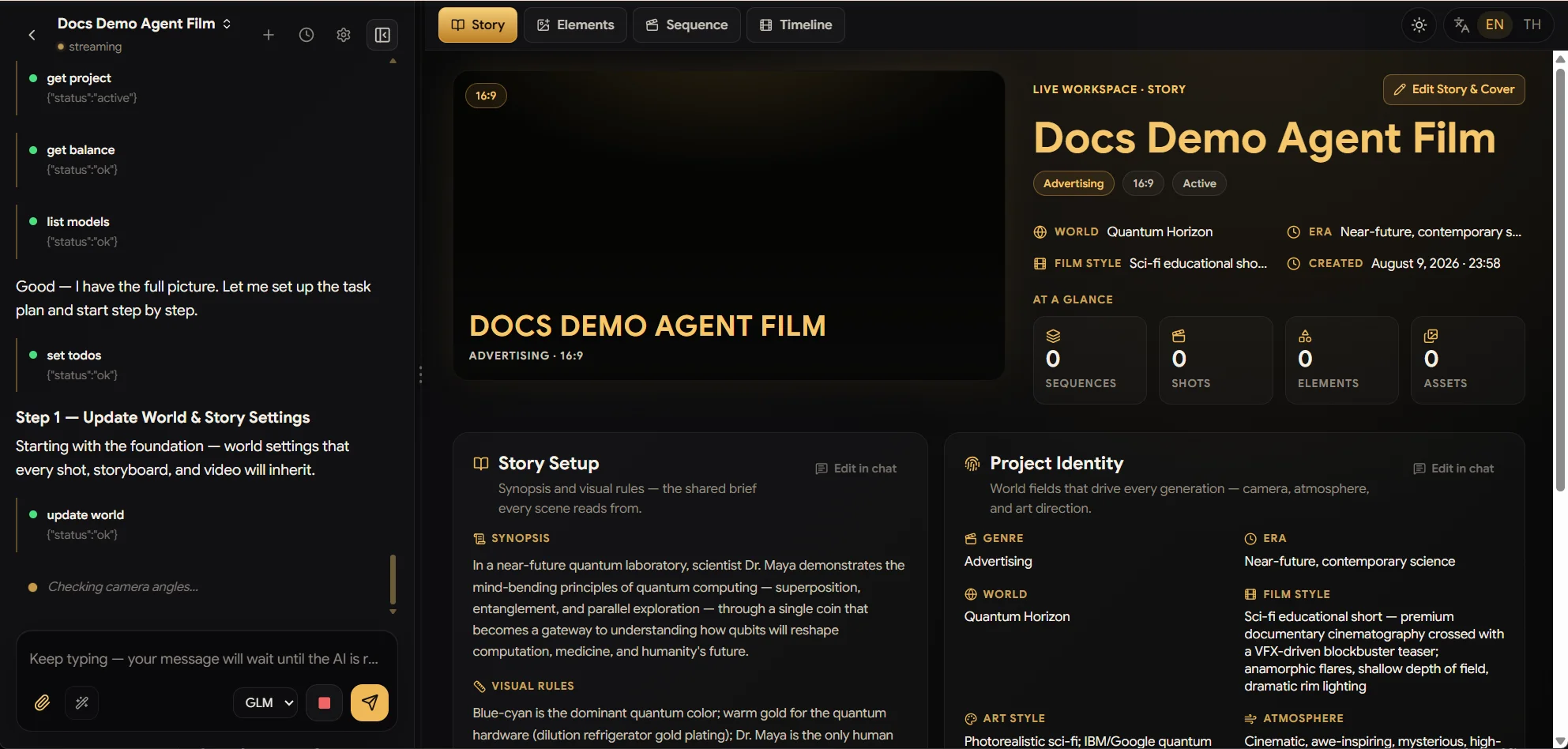
Approve, and the director gets to work in the open: you can see every tool call as it happens — reading the project, checking your balance, planning todos, updating the world — exactly like watching a coding agent work.
And the magic moment: the Story tab updates itself in real time. Synopsis, visual rules, world, film style, era, art style — fields fill in on the right as the director writes them, no page refresh, no "where did it save".
4. Auto Movie — the crew builds itself
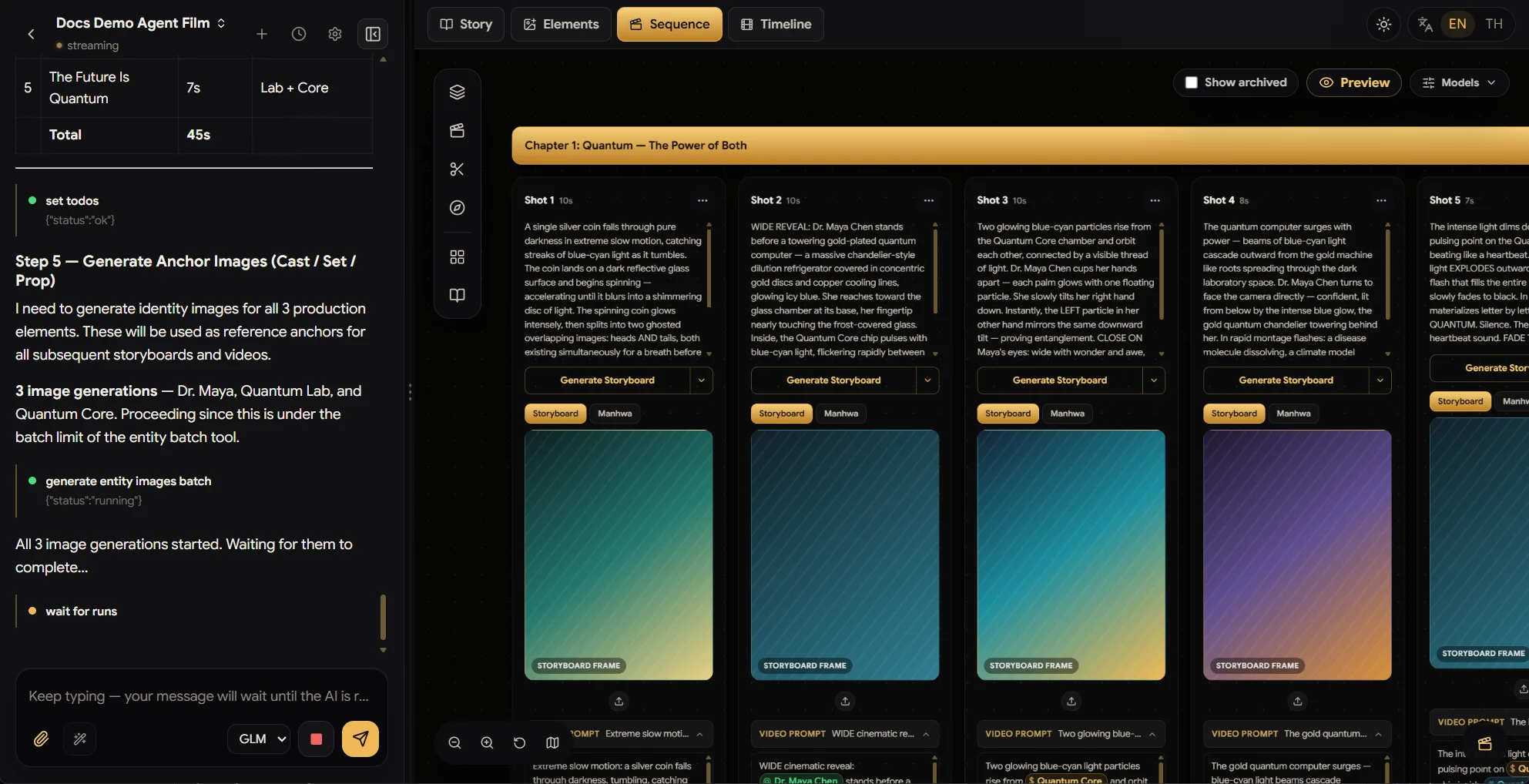
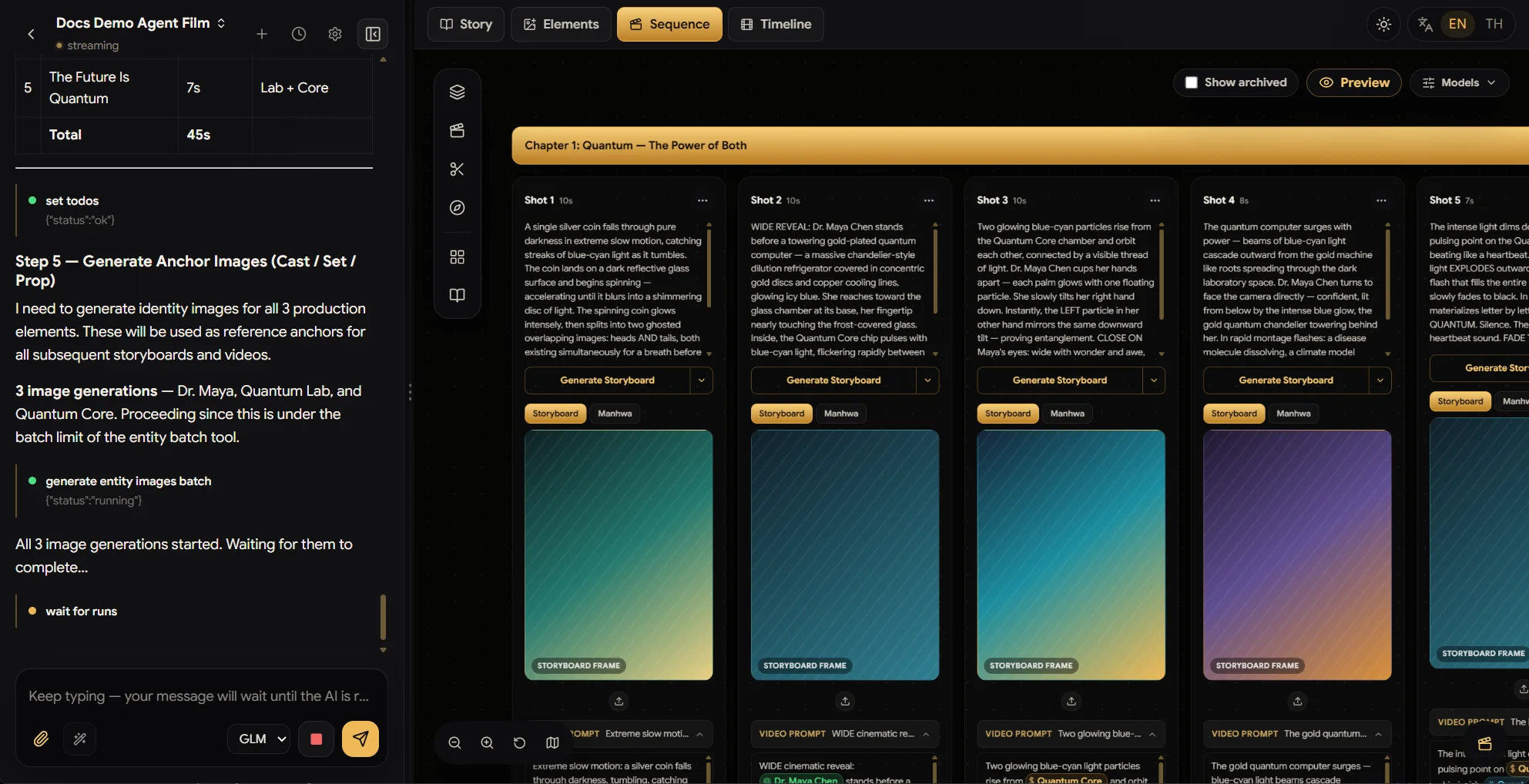
Say yes to Auto Movie and the director keeps going: it creates the cast, set, and prop entities, then generates anchor images for every one of them in a single batch — Dr. Maya, the Quantum Lab, the Quantum Core — the identity references that every storyboard and video afterwards will stay faithful to.
5. Every shot plotted, storyboard-ready
Open the Sequence tab and the whole film is waiting: a chapter, five shot
cards with full scene direction, and per-shot Generate Storyboard buttons.
Look closely at the video prompts — the director wrote them referencing the
actual entities (@Dr. Maya Chen, @Quantum Core), so generations lock onto
your cast automatically.
6. Storyboards draw themselves — with your models, your rules
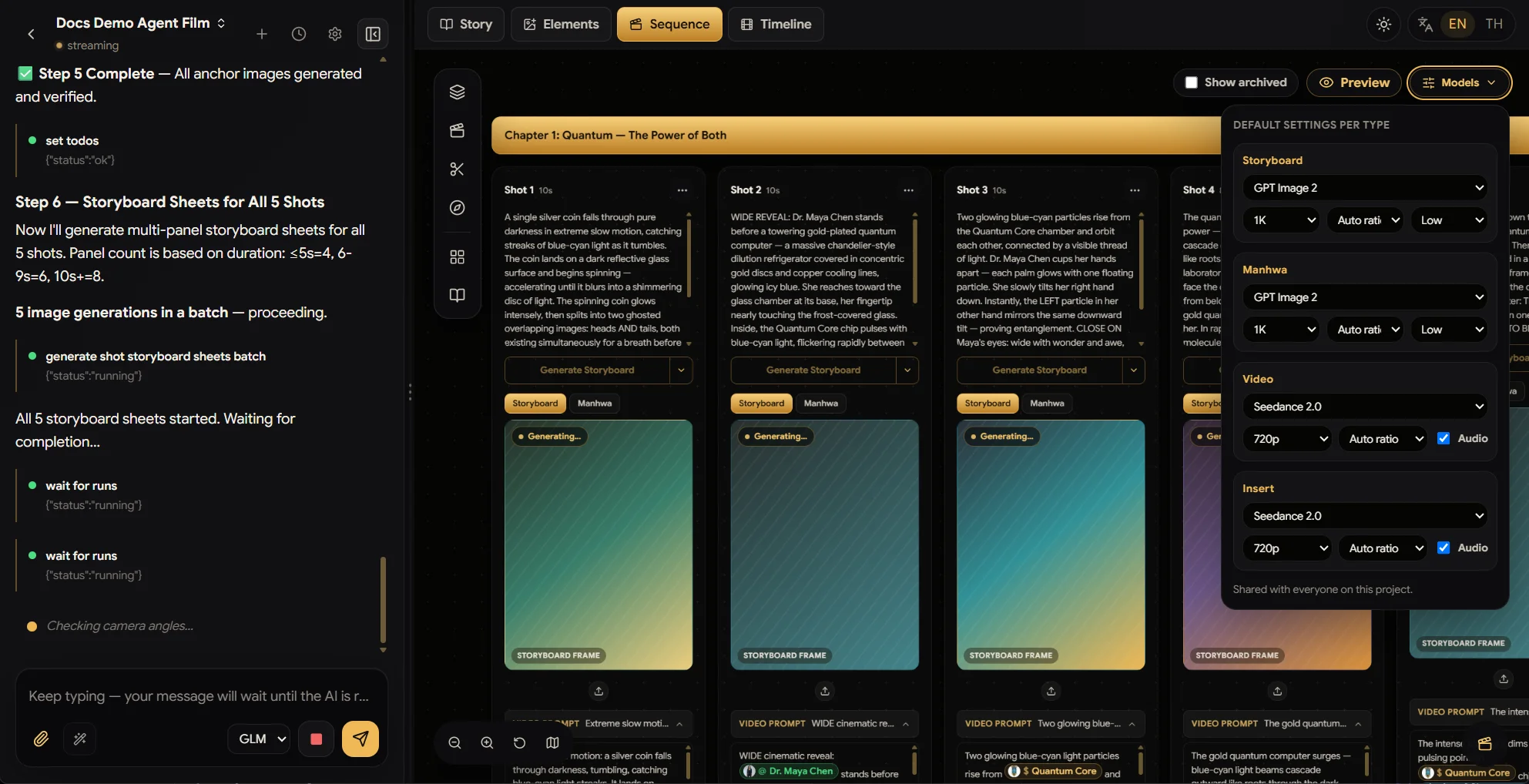
Still the same single prompt. The director now generates multi-panel storyboard sheets for all five shots in one batch, sizing panel count to each shot's duration (≤5s → 4 panels, 6–9s → 6, 10s+ → 8).
The Models panel (top right) is where you set the defaults it uses — per generation type: Storyboard, Manhwa, Video, and Insert, each with model, resolution, ratio, and audio — shared with everyone on the project.
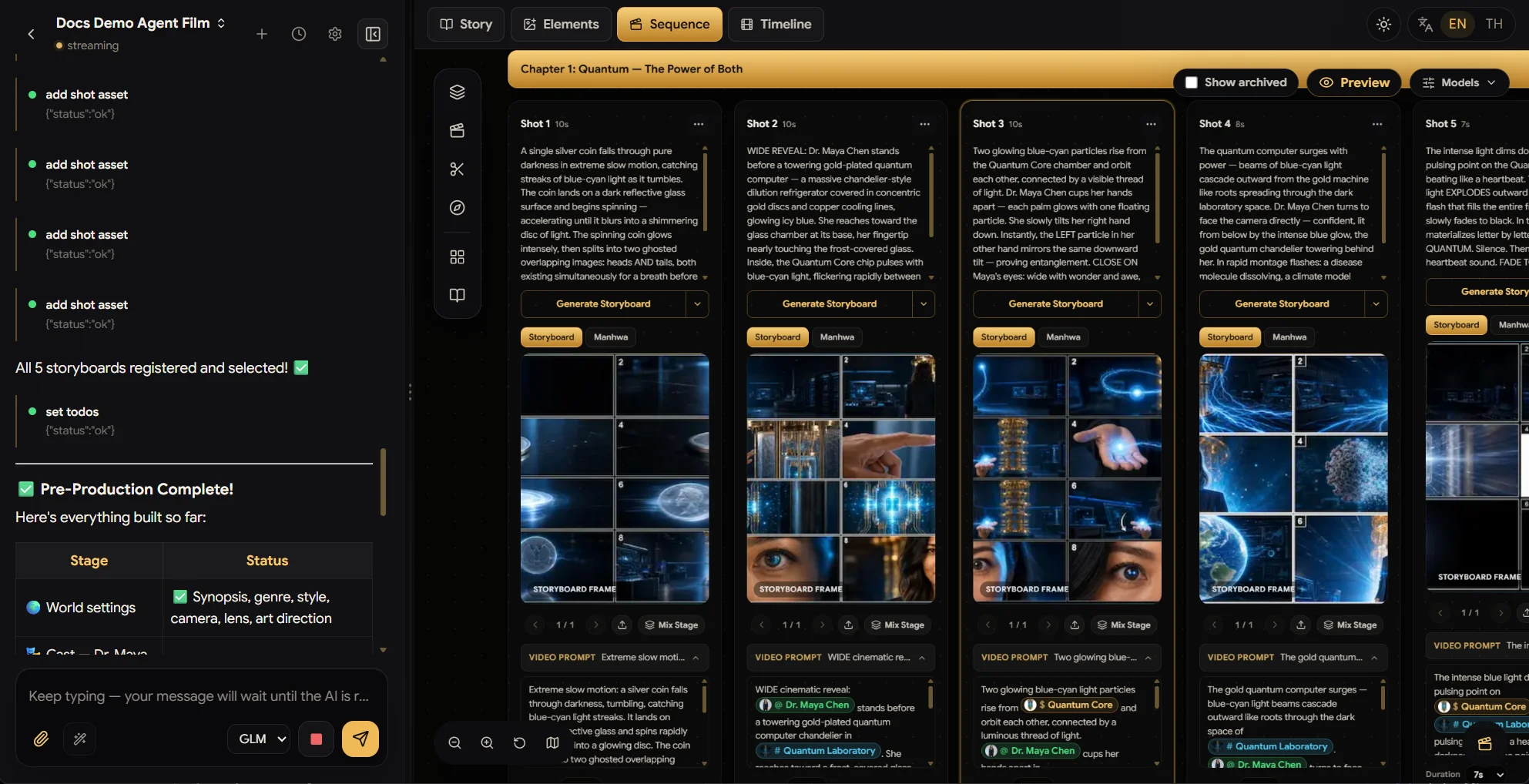
Minutes later: Pre-Production Complete. Real storyboard frames on every shot card, every panel consistent with the anchor images.
From here the director starts generating videos shot by shot — analysing each clip before moving to the next.
7. Videos — one shot at a time, like a real director
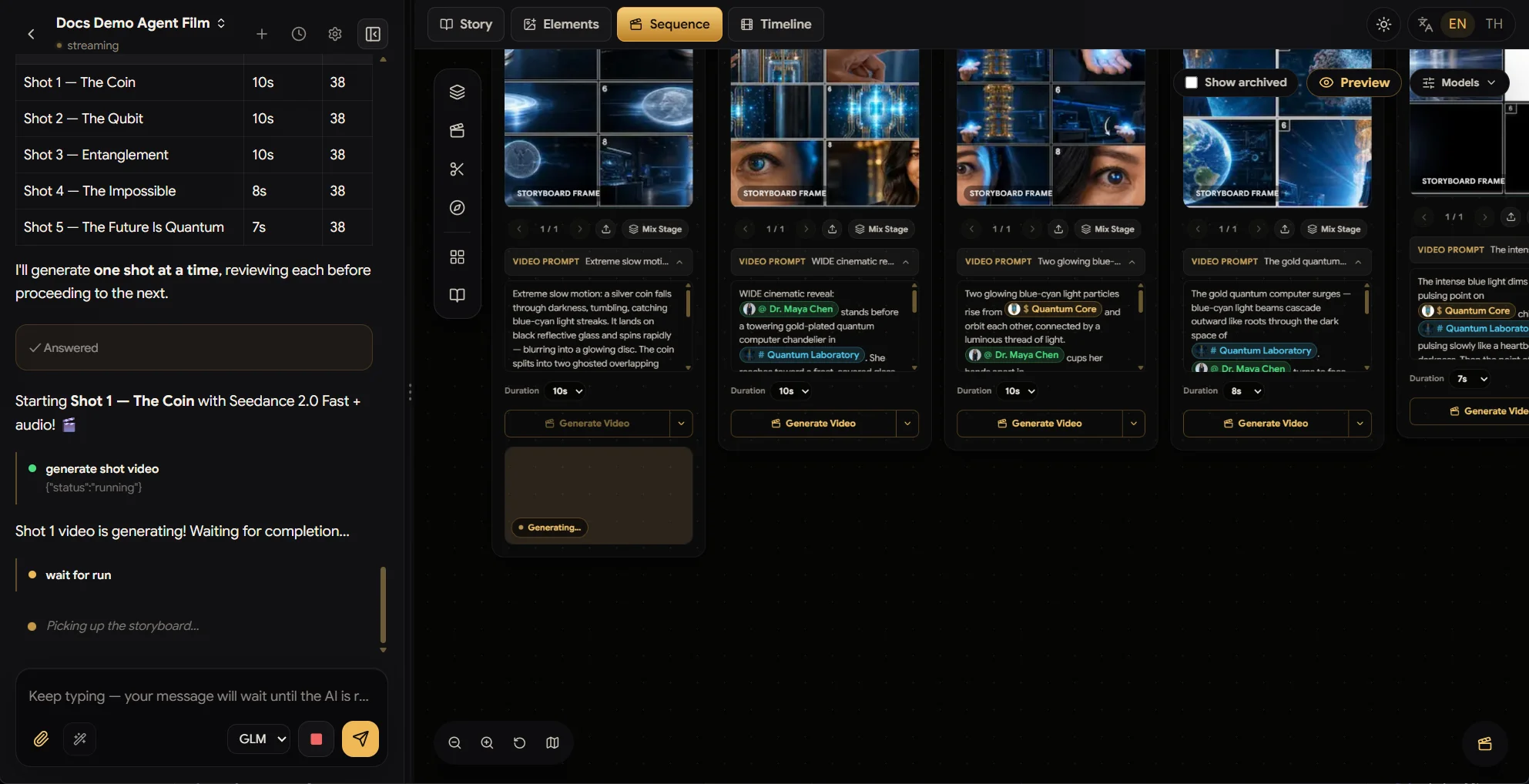
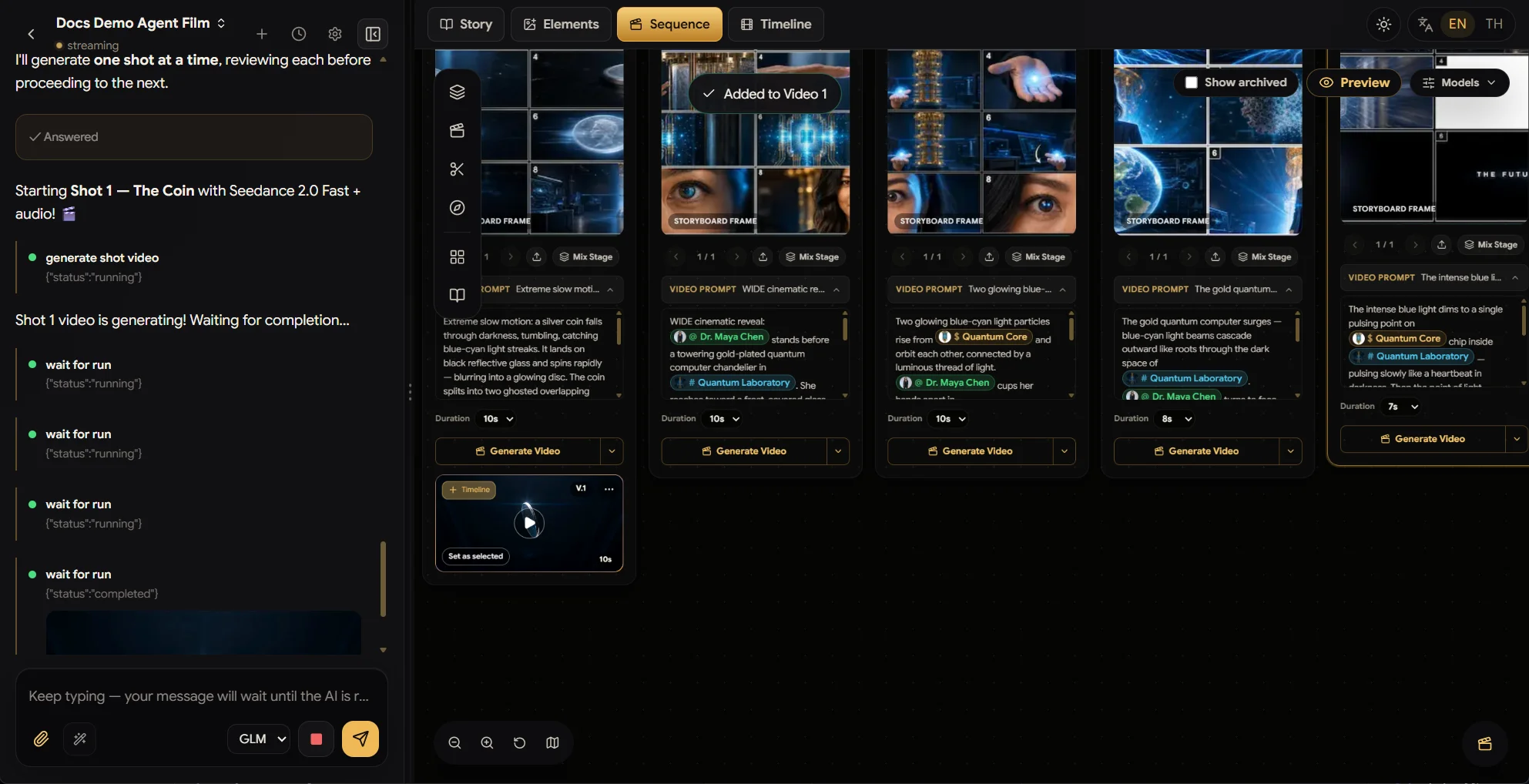
With storyboards locked, the director prices the work up front (a per-shot
cost table, straight from your Models defaults) and then generates
one shot at a time — reviewing each clip before moving to the next, so a
drifting take never contaminates the rest of the film. You can watch the
Generating… card working right on the shot, and every card keeps its own
Duration and Generate Video controls for manual re-runs whenever you
want to take the wheel.
8. The final cut — timeline and video editor
Each finished take lands on its shot card as a playable version (V.1) with
Set as selected — and one click sends it + to the Timeline.
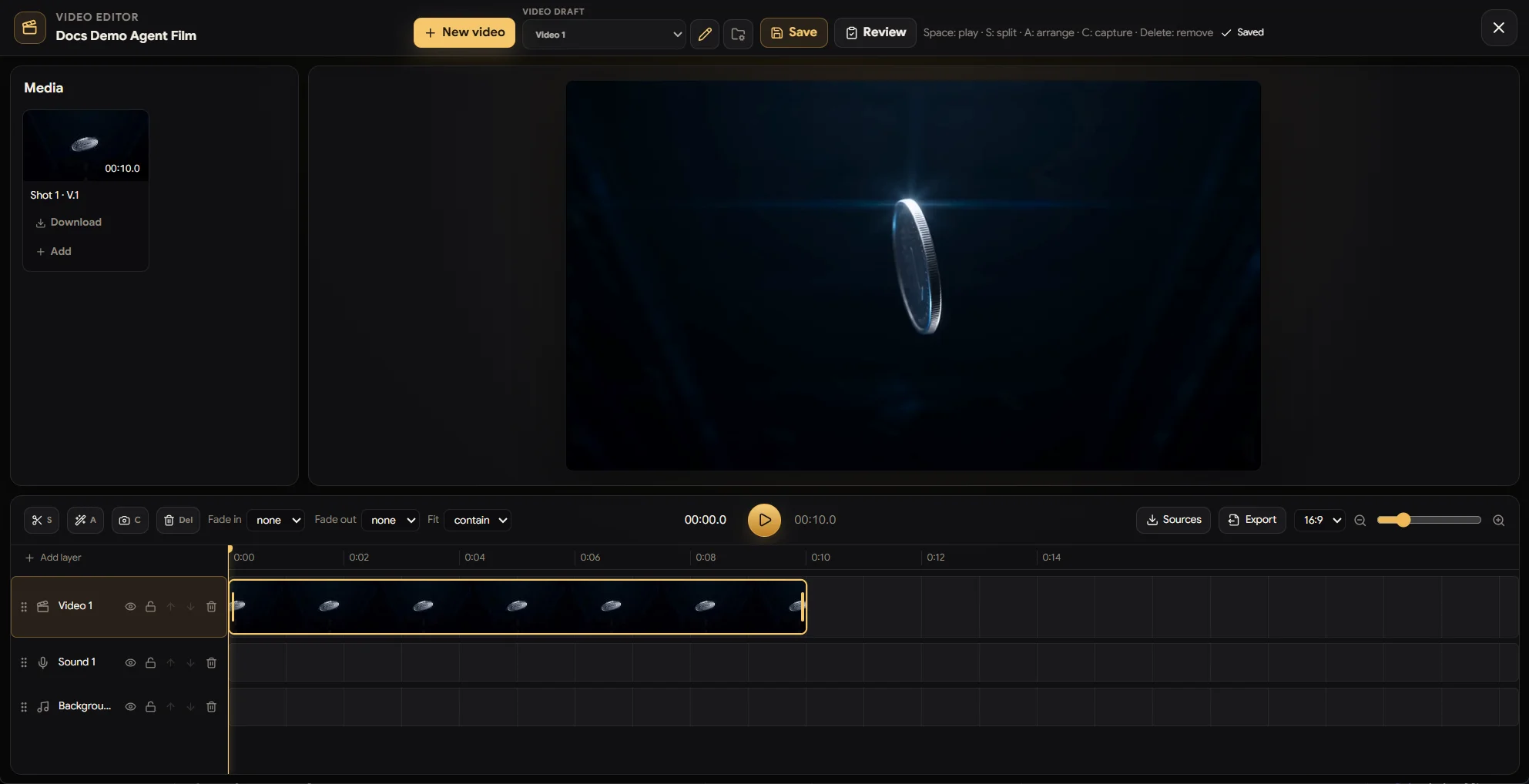
Then open the video editor (clapper button, bottom-right of the board) and finish like an editor would:
- Layered timeline — video, sound, and background-music tracks, plus Add layer for more.
- Trim and split clips (
S), arrange (A), capture stills (C), and set fade in/out per clip. - Pull any project media in from Sources, and Export the finished film in your ratio.
- Multiple video clips per project — press
New videoto start another cut from the same takes: a 45s full film, a 15s teaser, a vertical crop for social — each saved as its own draft in the Video dropdown.
One sentence in. A reviewed script, a cast, storyboards, five generated shots, and a cut on the timeline — that's Agent mode.
💡 The director works with your points and your permissions — every generation it starts shows its cost and lands in the project like any run you made yourself.