Your First Workflow
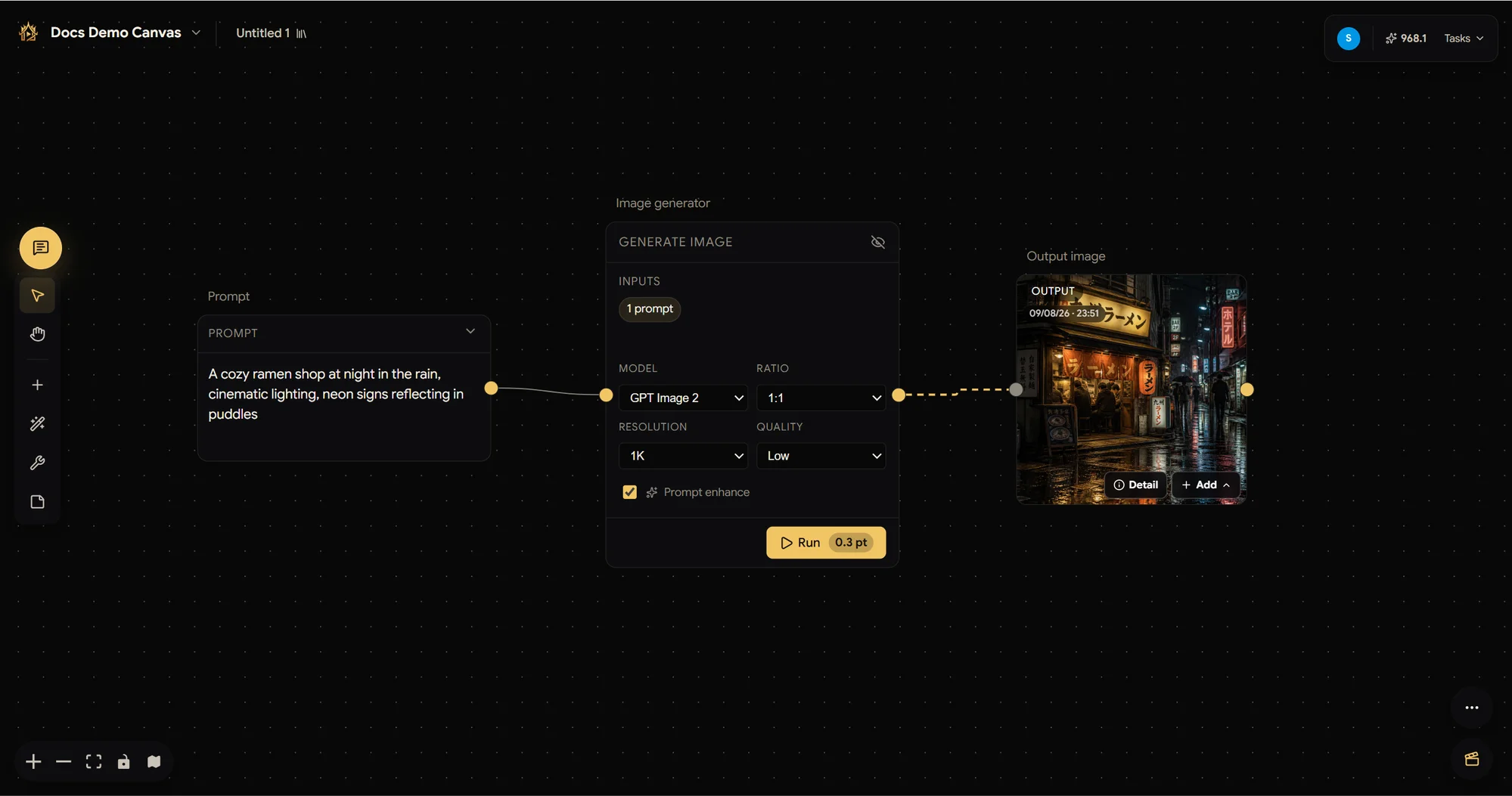
Prompt → Generate image → Output, connected and run on the board.
WHEN TO USE
Learn the connect-and-run loop every bigger board is built from.
PAIRS WELL WITH
Node Types (what to add), Tools nodes (refine the output further).
💡 Outputs are nodes too — connect an Output image into another generator to iterate without re-uploading anything.
This is the smallest useful board: one prompt, one generator, one output.
1. Add and fill a Prompt node
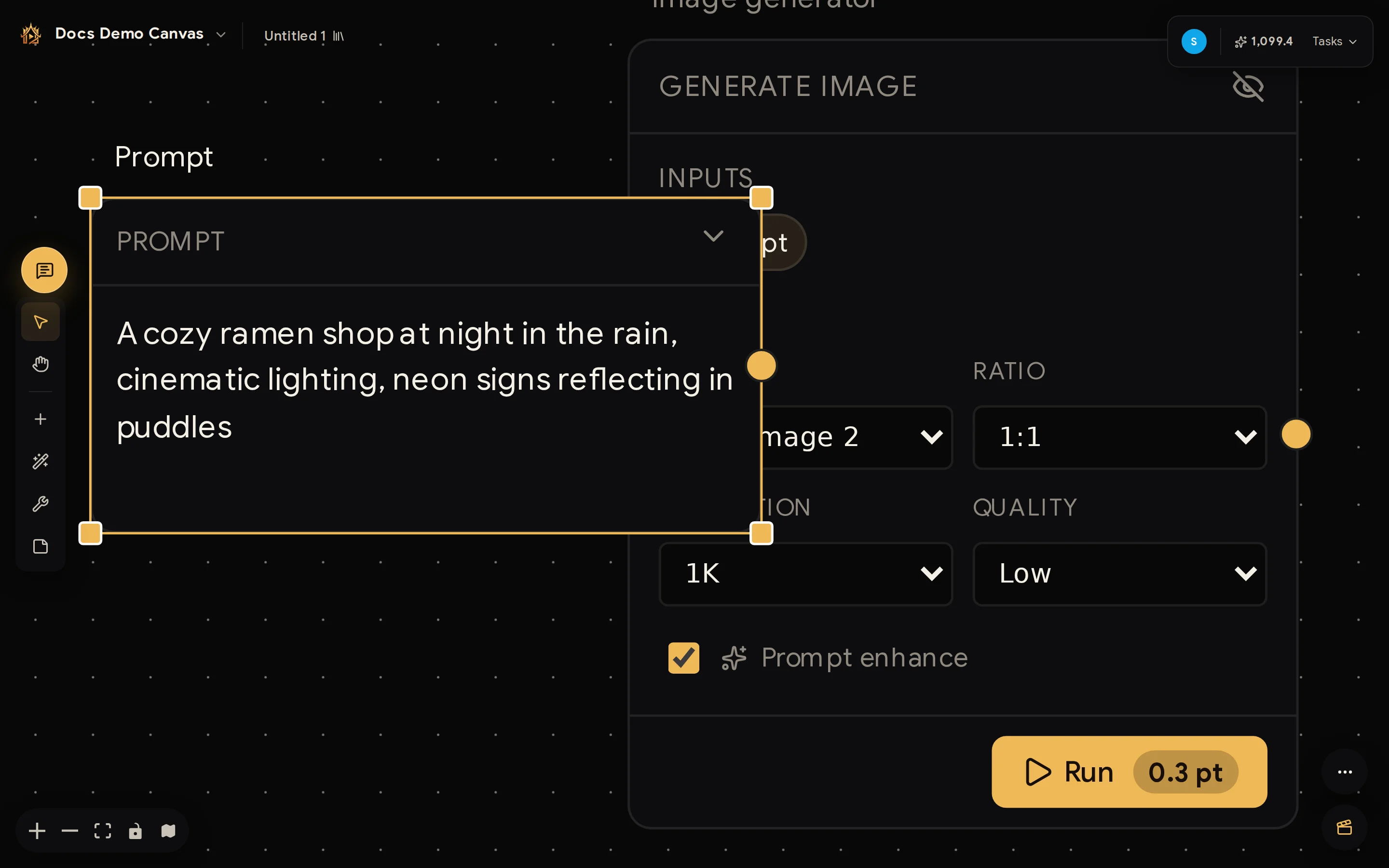
Add Input → Prompt text, then double-click the node and write your prompt.
2. Add a generator and connect
Add Generator → Generate image. Drag from the prompt node's right handle
to the generator's left handle — the INPUTS chip shows 1 prompt when the
connection lands. Pick the model, ratio, resolution, and quality on the node.
3. Run
Press Run on the generator (the button shows the exact cost, e.g.
0.3 pt). While it renders, the task also appears in the top-right Tasks
list.
4. Use the output
The result arrives as an Output image node linked to its generator — open Detail, download it, or press + Add to chain it into the next step.