Canvas Basics
The node-based board where you build image, video, and audio workflows visually.
The Canvas is Siamshort's node board: connect inputs (prompts, images, video, audio) to generators, run them, and outputs appear as new nodes you can chain further.
Create a board
Open a project's Idea Board tab and press Create canvas. A project can hold many boards — switch between them in the Board Library.
The board
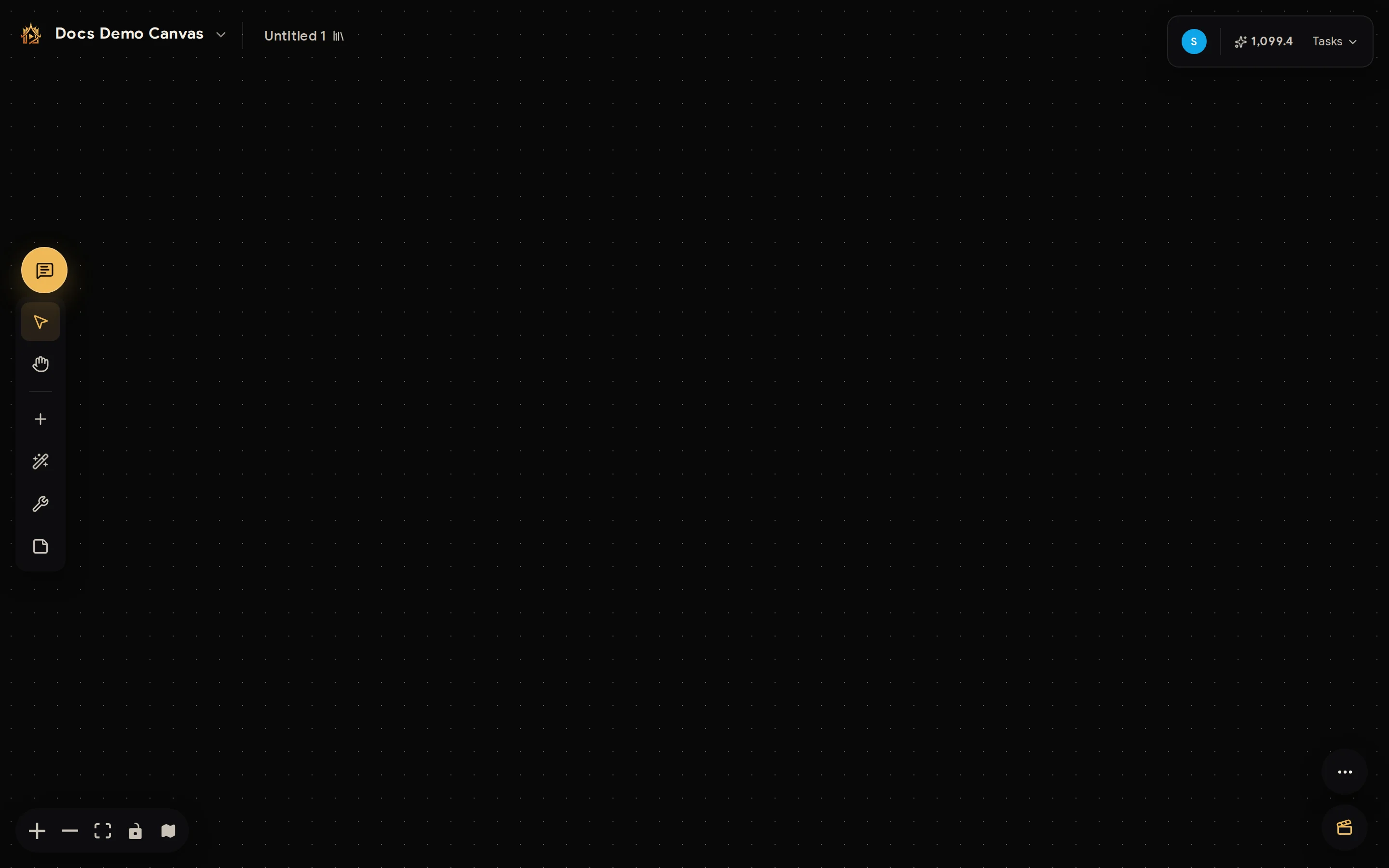
- Left toolbar — select/pan modes and the four add node buttons (input, generator, tool, helper).
- Top bar — project switcher, board name, your points, and the Tasks list of running generations.
- Bottom bar — zoom, fit view, lock, and the overview map.
The Board Library
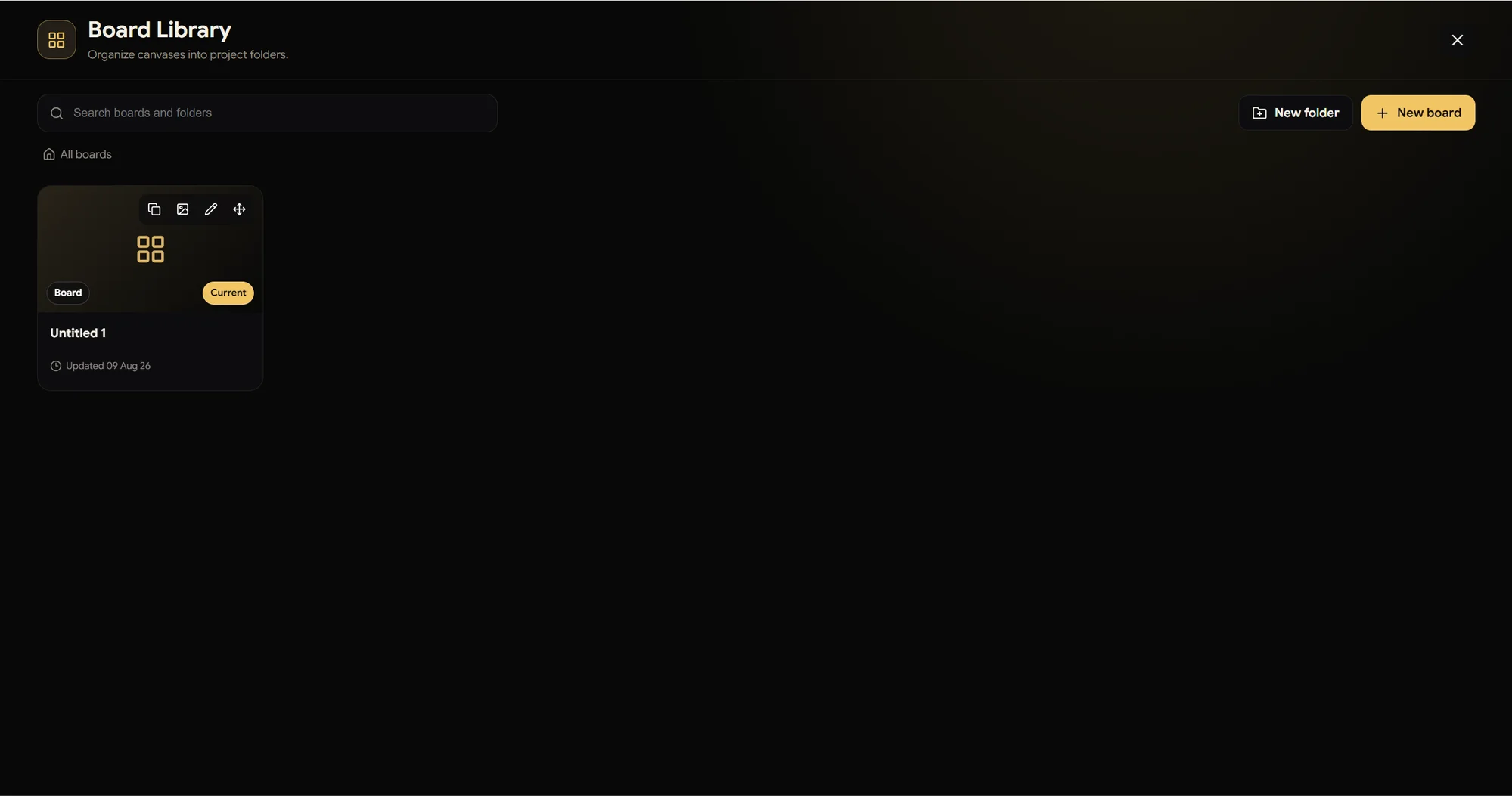
The Board Library button (top bar) manages every canvas in the project: New board for another workspace, New folder to organize boards per scene or experiment, and search across all of them. Hover a board card for quick actions — duplicate, set cover, rename, move — and the Current badge marks the one you're on.
A minimal workflow
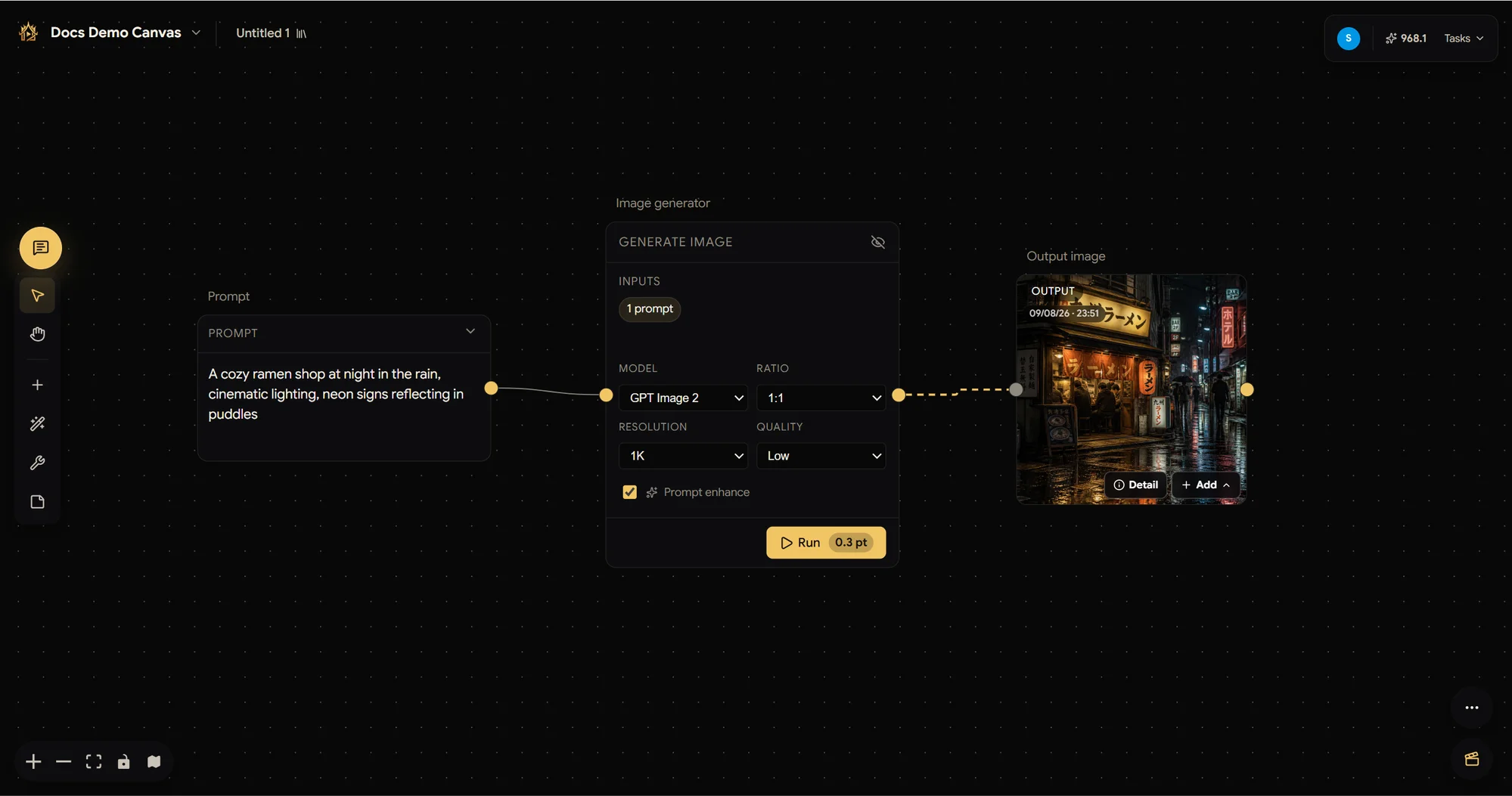
Add a Prompt text node, a Generate image node, connect them, and press Run on the generator. The result arrives as an Output image node — ready to connect into the next generator.